光環境
背面ワイドカメラのISO・露出時間・絞り値と、画面内9領域の相対輝度から作業面の照度と明暗差を推定します。
一般的な事務作業の300 lxを参考に、明るさを見直すきっかけを示します。法令適合を判定する測定ではありません。iPhoneで約60秒
Bameyasuは、iPhoneのカメラ・マイク・モーションセンサーとセルフチェックで、光、音、机の揺れ、姿勢と配置を約60秒で見える化。結果を「環境の整い度」と「まず直す1つ」にまとめ、整える前後の変化を振り返れます。
開発版 v0.1.1 — 日々の仕事場を見直し、整える前後の変化を確かめるためのウェルネス・教育・生産性向けツールです。結果には参考推定値とBameyasu独自のガイドが含まれ、医療機器、校正済み計測器、法令適合の判定器ではありません。
実際の画面
アプリが案内する順序と、結果の使い方が分かる5場面です。表示値と履歴は説明用のサンプルで、実際の結果は端末や環境によって変わります。
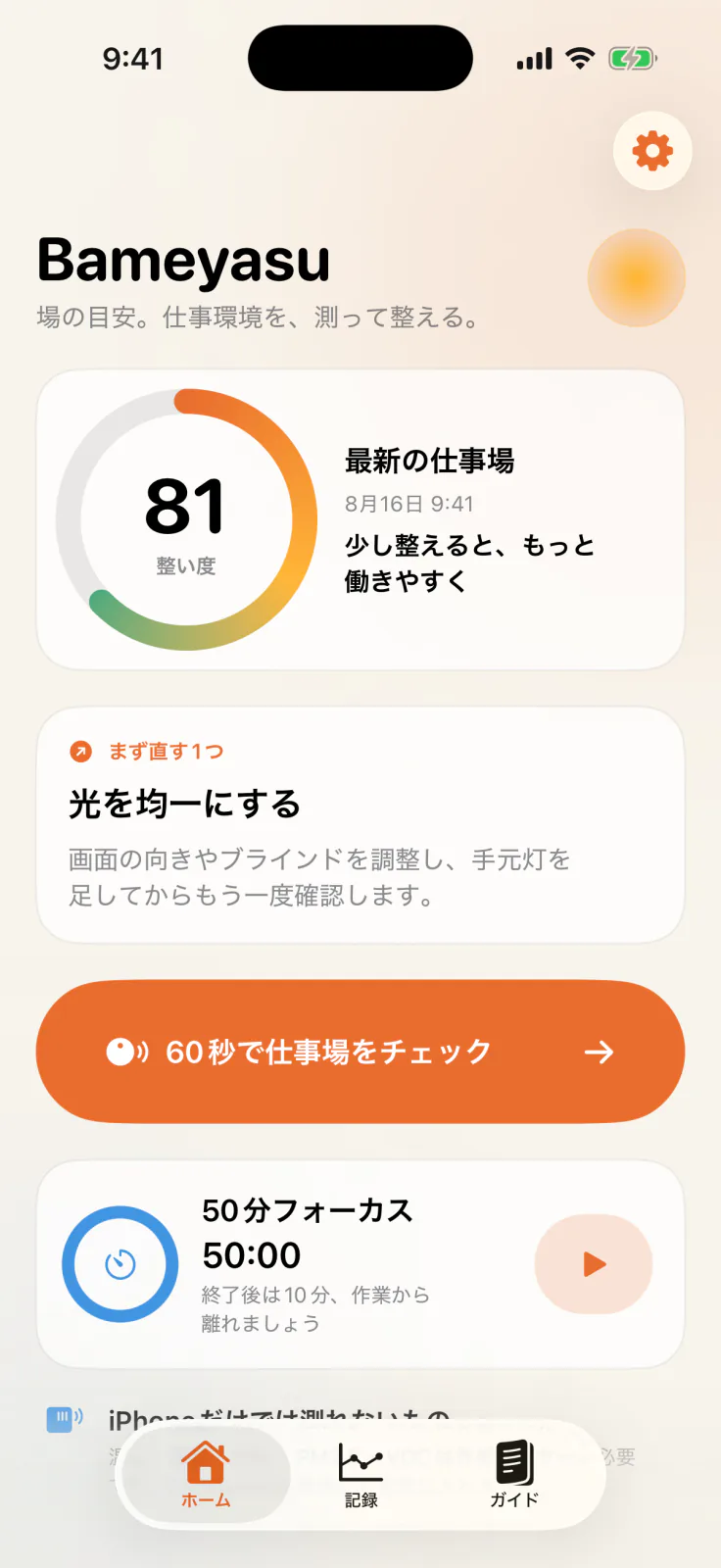
環境の整い度と「まず直す1つ」をホームに集約します。
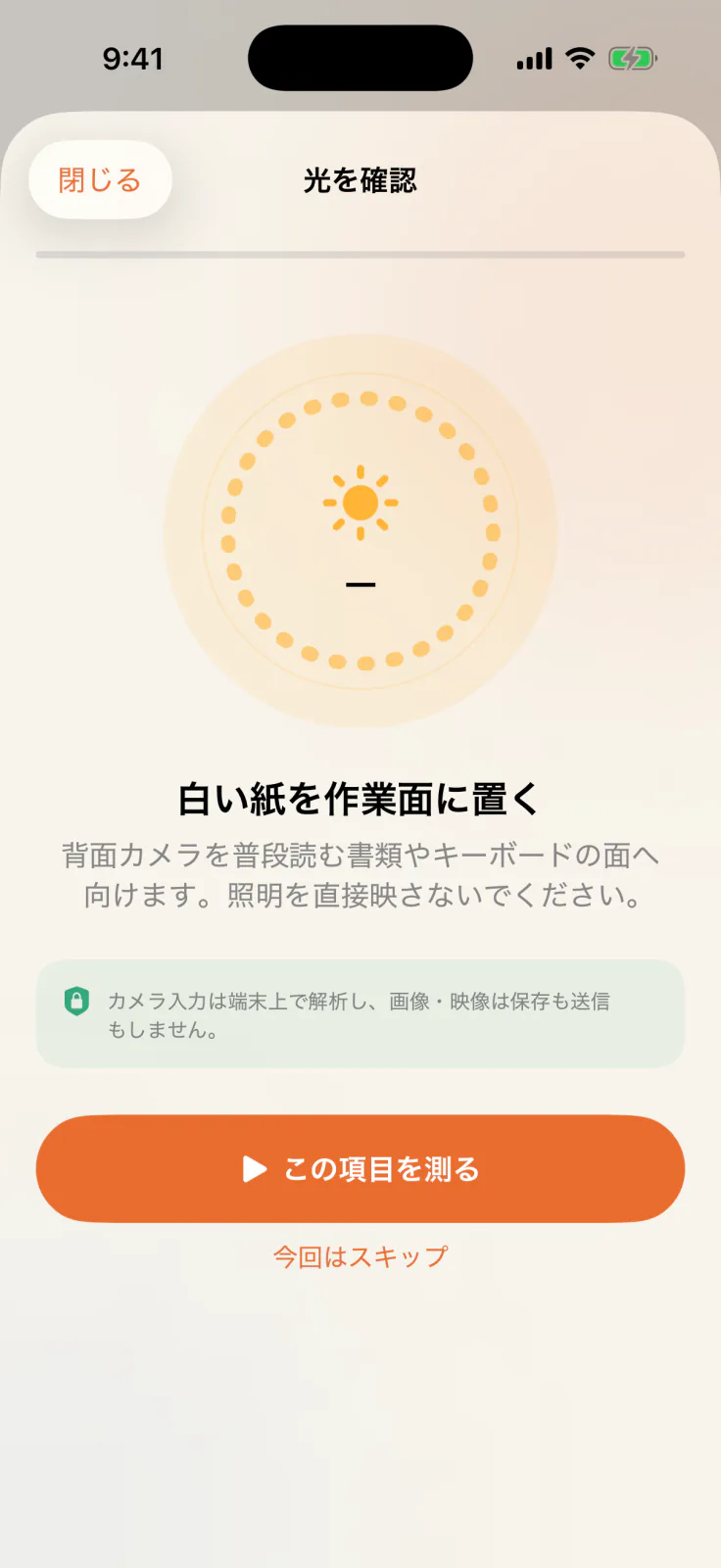
置き方とカメラの向きを、測る直前に具体的に案内します。
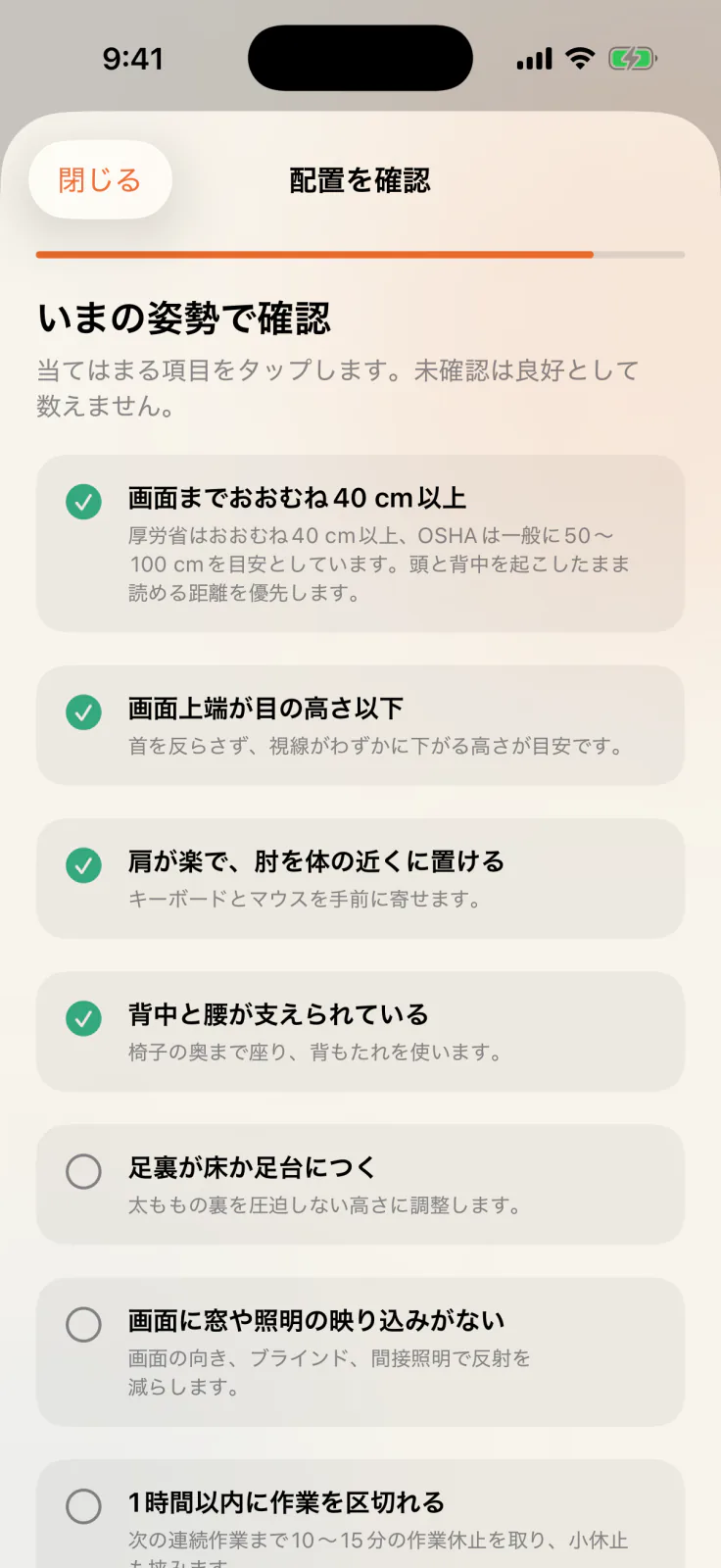
画面、椅子、入力機器、休止の7項目を今の状態で見直します。
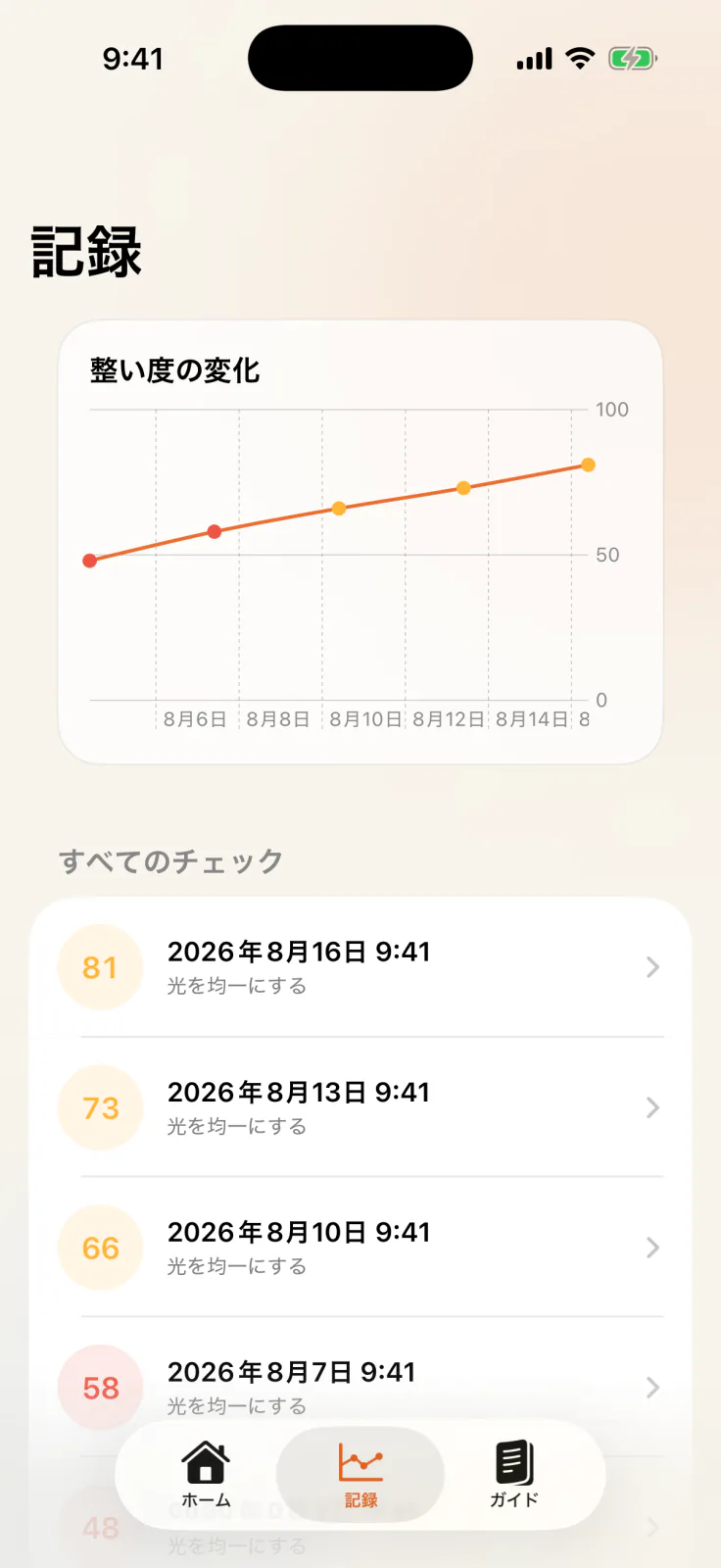
直近14回の整い度と各チェックを比べ、改善前後を確認できます。
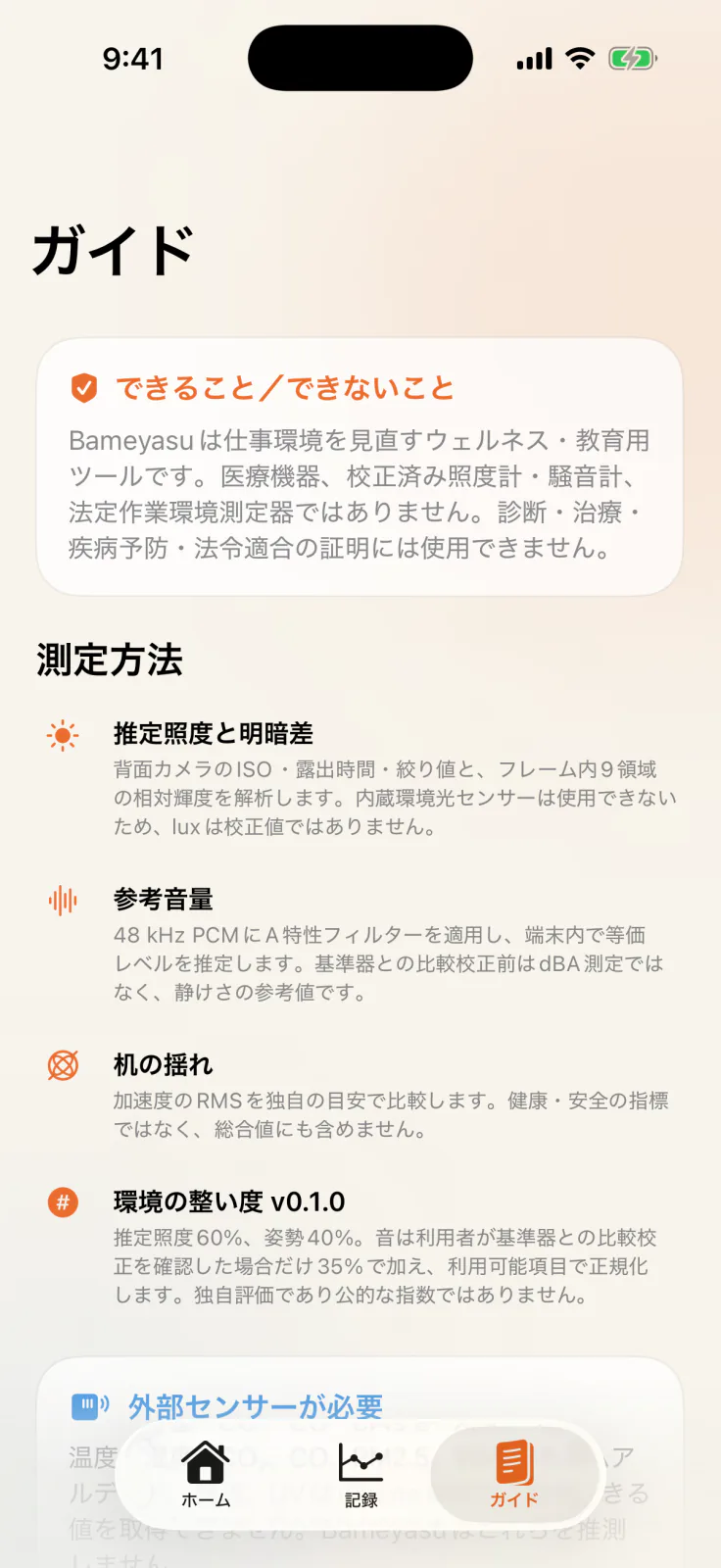
測定できる範囲、計算方法、公的情報の根拠をアプリ内で確認できます。
iPhoneを活かす4つの視点
カメラ、マイク、モーションセンサーとセルフチェックを組み合わせ、仕事場の状態を多角的に見える化します。センサー入力は端末内で処理し、履歴には結果に必要な情報だけを保存します。
背面ワイドカメラのISO・露出時間・絞り値と、画面内9領域の相対輝度から作業面の照度と明暗差を推定します。
一般的な事務作業の300 lxを参考に、明るさを見直すきっかけを示します。法令適合を判定する測定ではありません。周囲の音を15秒の参考値として可視化します。端末が48 kHz付近の入力を提供する場合はA特性処理を適用し、端末内で参考値を算出します。音声内容は認識せず、音声ファイルも作りません。
比較校正前は「参考 dB*」として静けさを見直す手がかりを表示し、比較校正後は整い度にも反映します。Core Motionを30 Hzで使い、机の小さな揺れと傾きを可視化します。がたつきや振動源を見つける手がかりに使えます。
整い度とは分けて、机まわりを整えるための参考値として表示します。健康・安全・構造評価には使用できません。画面距離と高さ、肩・肘、背中・腰、足裏、グレア、作業の区切りを7項目で確認します。
確認済みの項目数を結果に反映し、最初の未確認項目を次に見直すポイントとして提案できます。使い方
確認したい項目を選んで進められます。権限は必要な工程で個別に確認し、スキップしても次へ進めます。
普段仕事をする状態にiPhoneを置きます。
光、音、机、姿勢と配置を順にチェックします。
優先度の高い提案から試し、次の記録と比べます。
前後の変化を比較
カメラ、マイク、モーションセンサーとセルフチェックを使った工程を同じ流れで進め、計算済みの結果を記録します。光と姿勢・配置を軸に、必要に応じて比較校正した音も加え、次に試す改善とその前後の変化を振り返れます。
比較校正済みの音 +35%(利用できる場合)
利用できる重みを100へ正規化。光と姿勢・配置が揃うと整い度を表示します。
推定照度60%、姿勢と配置40%。音は利用者が基準器との比較校正を確認した場合に加え、利用できる項目から整い度を組み立てます。
机の揺れと未校正の音は個別に表示し、整い度と分けて改善に活用できます。机の値は健康・安全・構造評価ではありません。15秒の音量は短時間の参考値で、8時間の時間加重平均や法定測定の代わりにはなりません。
環境の整い度は、確認できた項目をまとめたBameyasu独自の目安です。同じ席・手順で記録し、改善前後の変化と次の一歩を考えるために使えます。健康、安全、快適性、生産性、法令適合の保証や判定には使用できません。
専用機器で別途確認
Bameyasuはこれらを測定対象にせず、必要に応じて適切な外部測定器で確認する項目として案内します。
数値の位置づけ: 評価アルゴリズム v0.1.0はエンジニアリングプロトタイプで、カメラ照度と参考音量を仕事場を見直すための参考値として表示します。トレーサブルな基準器を使った複数機種での検証研究は未完了です。
Privacy policy
更新日:2026年9月6日
カメラ・マイク・モーション入力はチェック中にiPhoneで処理し、画像・映像・音声・生のセンサーデータを保存せず、開発者へ送信しません。チェック結果と設定は端末に保存します。
履歴は記録画面から削除でき、アプリの削除で端末内の設定を消せます。カメラ・マイク・モーションの権限はiPhoneの設定で変更できます。
購入はApple、外部リンクはリンク先のポリシーに従います。製品・プライバシーのお問い合わせは support@hinoshiba.com へ。メールのアドレス・本文・任意の添付はメール事業者を通じて受領し、対応や法令上必要な期間だけ保持します。同じ窓口へ削除を依頼できます。
このサイトはGitHub Pagesで配信され、アクセス情報はGitHubのプライバシーステートメントに従います。
表示値は仕事環境を見直す参考です。医療機器・校正済み測定器ではなく、診断や法令適合の証明には使用できません。危険や体調不良が疑われる場合は専門家へ相談してください。
根拠となる情報源
公的機関の一次情報から、仕事場を見直す要点をBameyasuが独自に整理しています。各カードから原典を直接確認できます。各機関による推奨・承認を示すものではなく、原文・図表・ロゴは転載していません。最終確認:2026年8月15日。
一般的な事務作業の作業面は300 lx以上。著しい明暗差とまぶしさも避けます。
公式情報を開く ↗ 日本 · 情報機器作業約40 cm以上の視距離、画面上端、グレア低減、1時間以内の区切りと10〜15分の作業休止。
公式情報を開く ↗ U.S. · Occupational noise職業ばく露の文脈として、85 dBAの8時間時間加重平均と3 dB交換率を示しています。Bameyasuの15秒値はその場の音を見直す短時間の参考で、8時間ばく露は判定できません。
公式情報を開く ↗ U.S. · Monitor setup一般的な視距離50〜100 cm。読みやすさと直立姿勢を優先する追加文脈として参照します。
公式情報を開く ↗ 日本 · 建築物環境対象空調居室の温度18〜28°C、湿度40〜70%、CO₂ 1000 ppm以下、CO 6 ppm以下。これらは適切な外部測定器で確認し、Bameyasuでは測定・合否判定を行いません。
公式情報を開く ↗Support
価格・提供条件はApp Storeの表示をご確認ください。請求・購入履歴はAppleサポート、返金申請はAppleの窓口をご利用ください。
Open source
BameyasuのソースコードはMIT Licenseで公開中です。測定ロジック、テスト、設計判断をリポジトリで確認できます。ブランド資産はMIT Licenseの対象外です。
About 60 seconds on iPhone
Bameyasu uses the iPhone camera, microphone, motion sensors, and self-checks to visualize light, sound, desk vibration, and ergonomics in about 60 seconds. It summarizes the check with workspace readiness and “Fix this first,” then lets you review before-and-after changes.
Development build v0.1.1 — A wellness, education, and productivity tool for reviewing everyday workspaces and comparing changes after practical improvements. Results include reference estimates and Bameyasu-specific guidance; the app is not a medical device, calibrated meter, or compliance instrument.
Real app screens
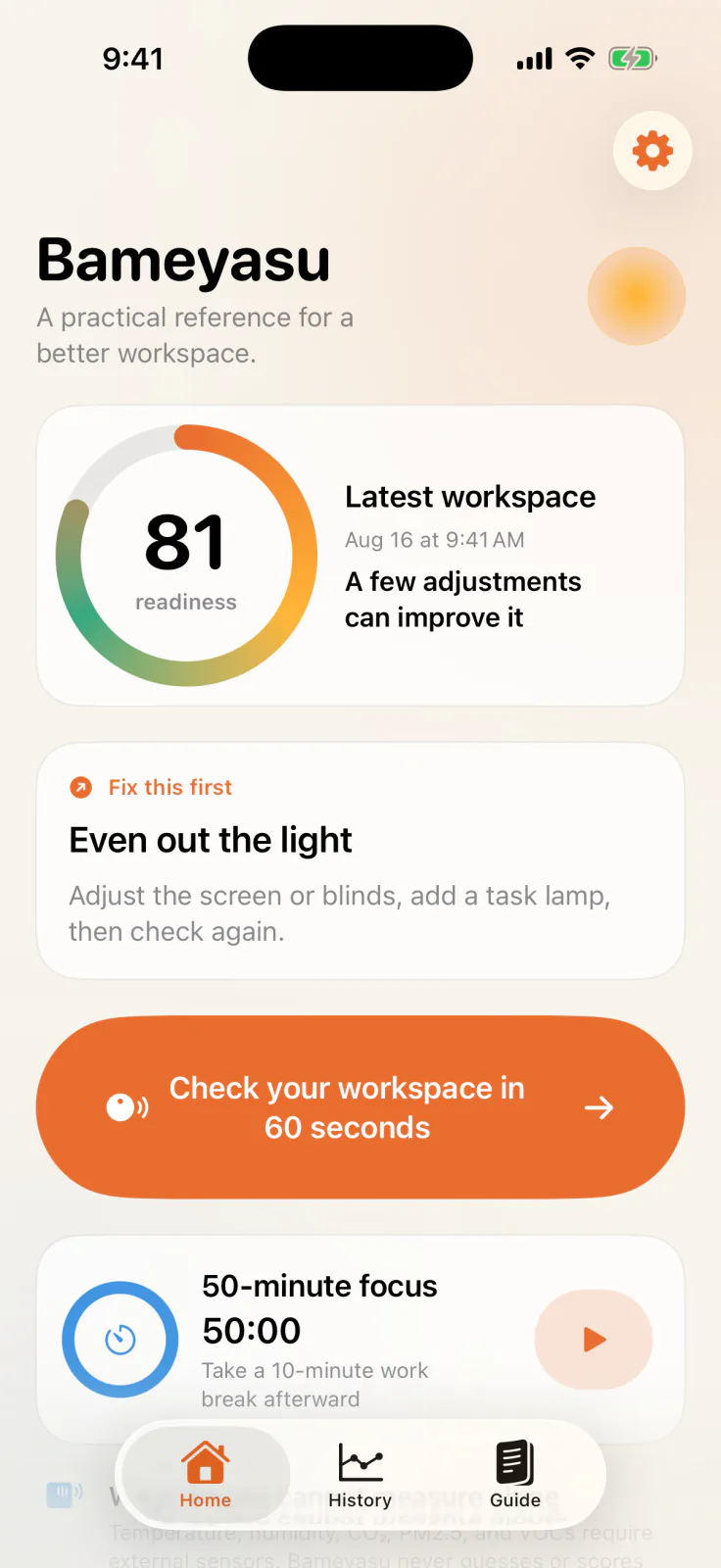
These five screens show the order of the guided check and how to use the results. Readings and history are sample data for explanation; actual results vary by device and environment.
Workspace readiness and “Fix this first” come together on Home.
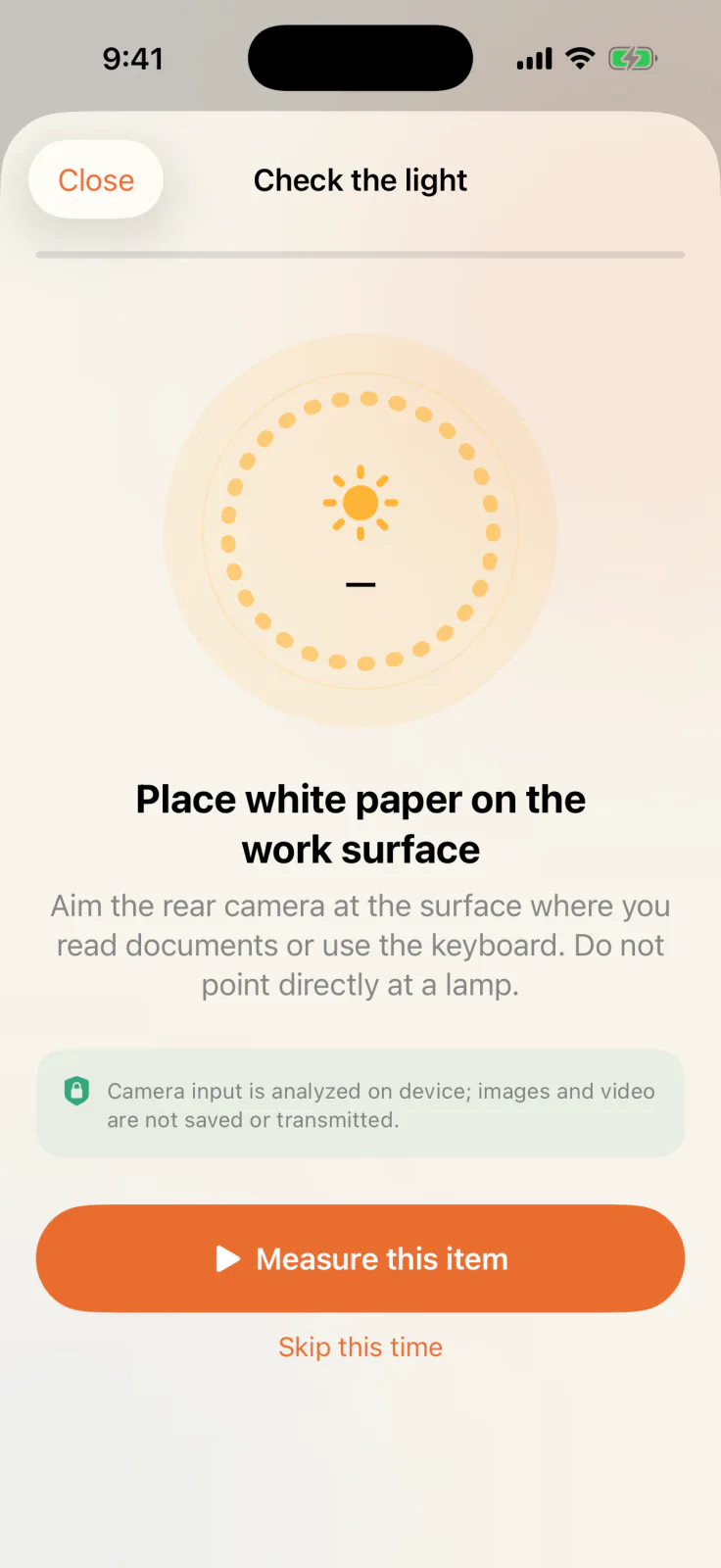
Placement and camera direction are explained immediately before measuring.
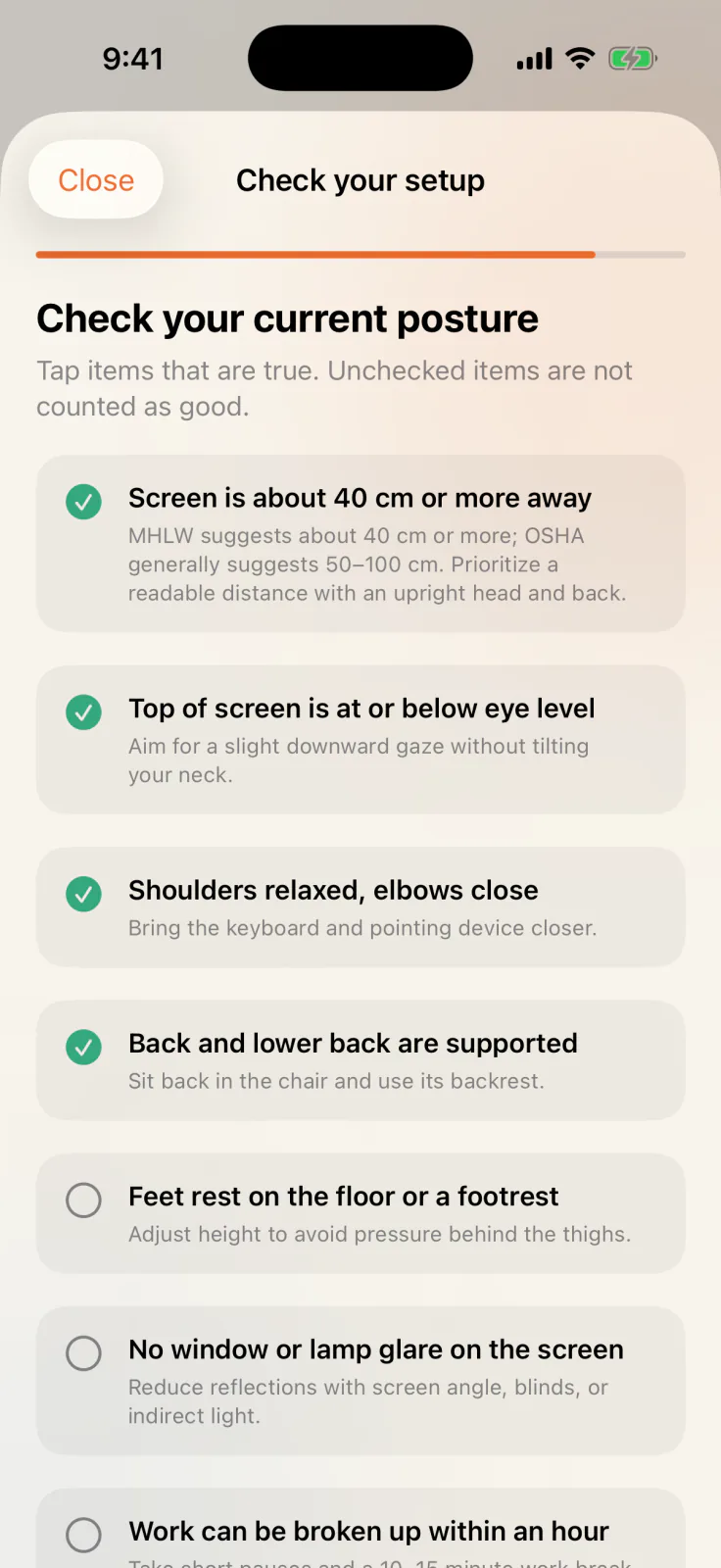
Review seven items covering your display, chair, input devices, and work breaks.
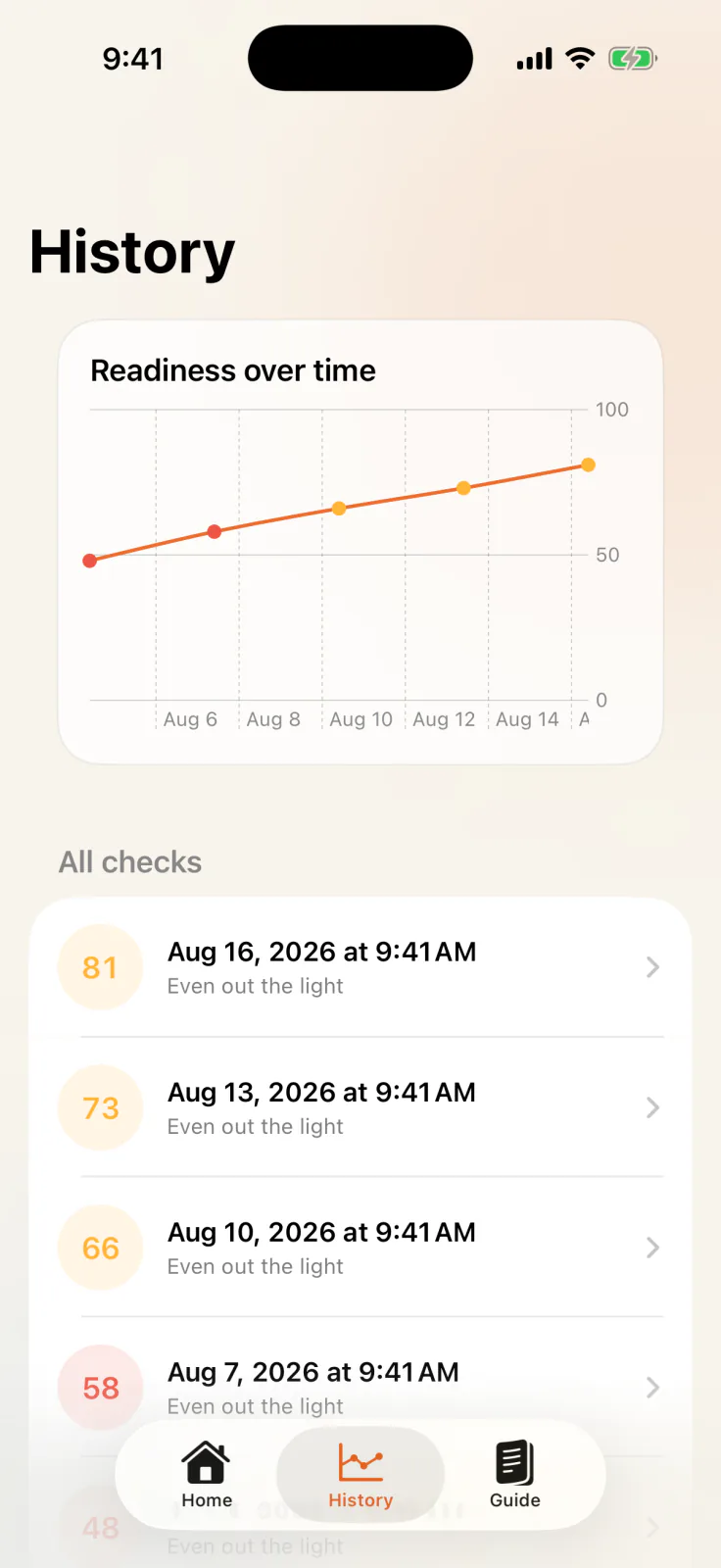
Compare readiness across the latest 14 scored checks and review each saved check.
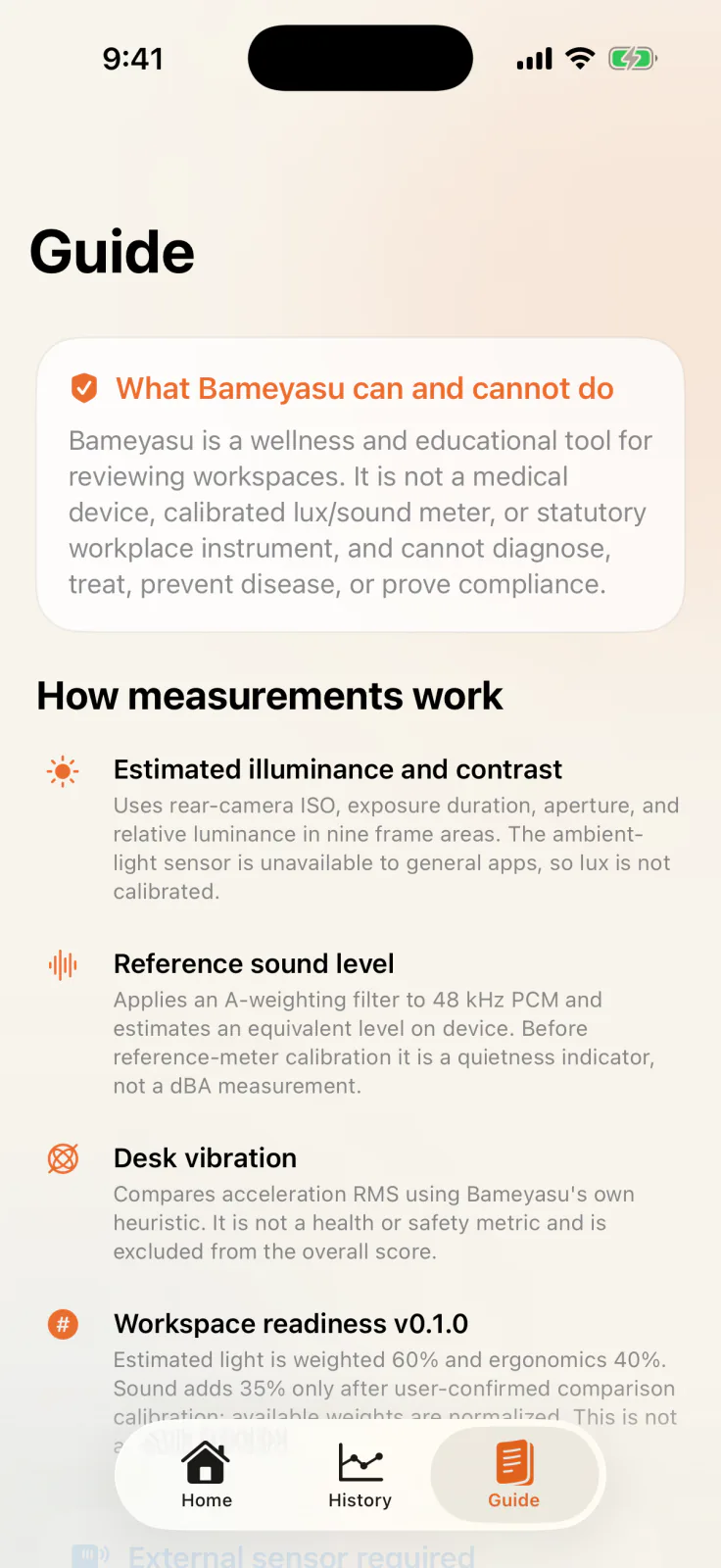
Review the measurement scope, calculation method, and primary sources inside the app.
Four ways to put your iPhone to work
The camera, microphone, motion sensors, and self-checks work together to visualize your workspace from several angles. Sensor input is processed on device, and history keeps only the information needed for results.
Bameyasu estimates work-surface illuminance and contrast from rear wide-camera ISO, exposure duration, aperture, and relative luminance across nine frame regions.
Use the 300 lx reference for ordinary office work as a starting point when reviewing your lighting—not as a compliance determination.Visualize a short-term reference for surrounding sound in 15 seconds. When the device supplies input near 48 kHz, Bameyasu applies A-weighting and calculates a reference value on device. It does not recognize speech or create an audio file.
Before comparison calibration, “ref. dB*” gives you a cue for reviewing quietness; after calibration, sound can also contribute to readiness.Bameyasu uses Core Motion at 30 Hz to visualize small desk movements and tilt, giving you a practical cue for finding wobble or vibrating equipment.
It stays separate from readiness as a practical desk-adjustment reference, not a health, safety, or structural assessment.Seven items cover screen distance and height, shoulders and elbows, back and lower back, feet, glare, and breaks in continuous work.
Confirmed items contribute to the result, and the first unchecked item can become the next point to review.How it works
Choose the checks you want to run. Each permission is requested only when its step begins, and you can continue when a check is skipped.
Place your iPhone where you normally work, with your setup in its usual state.
Review light, sound, desk stability, and ergonomics in order.
Try the highest-priority suggestion, then compare it with your next saved check.
Compare before and after
Run camera, microphone, motion-sensor, and self-check steps in one consistent flow, then save the calculated results. Light and ergonomics form the core, comparison-calibrated sound can join them, and repeated checks help you review what changed after an improvement.
Comparison-calibrated sound: +35% when available
Available weights are normalized to 100. Bameyasu shows readiness when both light and ergonomics are available.
Estimated light contributes 60% and ergonomics 40%. Sound joins after the user confirms comparison calibration against a reference meter, building readiness from the available inputs.
Desk vibration and uncalibrated sound remain visible on their own, separate from readiness. Desk vibration is not a health, safety, or structural assessment. A 15-second sound level is a short-term reference, not a substitute for an eight-hour time-weighted average or statutory measurement.
Workspace readiness is Bameyasu's own summary of the items checked. Repeat the same flow at the same desk to review progress and choose the next step. It is not used to guarantee or determine health, safety, comfort, productivity, or legal compliance.
Check separately with dedicated instruments
Bameyasu keeps these conditions outside its measurement scope and points to appropriate external instruments when they are needed.
Value context: Scoring algorithm v0.1.0 is an engineering prototype that presents camera illuminance estimates and reference sound levels as workspace-review references. Multi-device validation against traceable instruments has not yet been completed.
Privacy policy
Updated September 6, 2026
Camera, microphone, and motion input are processed on the iPhone during a check. Images, video, audio, and raw sensor data are not saved or sent to the developer. Check results and settings are stored on the device.
Delete history from the History screen and remove the app to delete its local settings. Camera, microphone, and motion permissions can be changed in iPhone Settings.
Purchases are handled by Apple. External links follow the destination’s policy. Product and privacy inquiries: support@hinoshiba.com. Email addresses, messages, and optional attachments are received through our email provider and retained only as needed to respond or meet legal obligations. You may request deletion at the same address.
This website is hosted on GitHub Pages; access information follows GitHub’s Privacy Statement.
Readings are guidance for reviewing your workspace. Bameyasu is not a medical device or calibrated instrument and cannot establish a diagnosis or regulatory compliance. Seek qualified assistance if you suspect danger or feel unwell.
Evidence sources
Bameyasu organizes practical workspace-review points from public primary sources, with every card linking directly to its context. The summaries are independent and do not imply endorsement or reproduce original text, figures, or logos. Last checked: August 15, 2026.
General office work surfaces require at least 300 lx, while marked contrast and glare should be avoided.
Open official source ↗ Japan · Information-equipment workCovers a viewing distance of about 40 cm or more, screen-top position, glare reduction, sessions no longer than one hour, and 10–15 minute work breaks.
Open official source ↗ U.S. · Occupational noiseFor occupational-exposure context, NIOSH uses 85 dBA as an eight-hour time-weighted average with a 3 dB exchange rate. Bameyasu keeps its 15-second value separate as a short-term cue; it cannot establish eight-hour exposure.
Open official source ↗ U.S. · Monitor setupA generally preferred viewing distance of 50–100 cm, used as additional context while prioritizing readability and upright posture.
Open official source ↗ Japan · Building environmentFor covered air-conditioned rooms: 18–28°C, 40–70% relative humidity, CO₂ at or below 1,000 ppm, and CO at or below 6 ppm. These conditions require appropriate external instruments; Bameyasu does not measure them or determine compliance.
Open official source ↗Support
See the App Store for price and availability. Use Apple Support for billing and purchase history, and Apple’s refund service to request a refund.
Open source
Explore Bameyasu's measurement logic, tests, and design decisions under the MIT License. Brand assets are not covered by the MIT License.